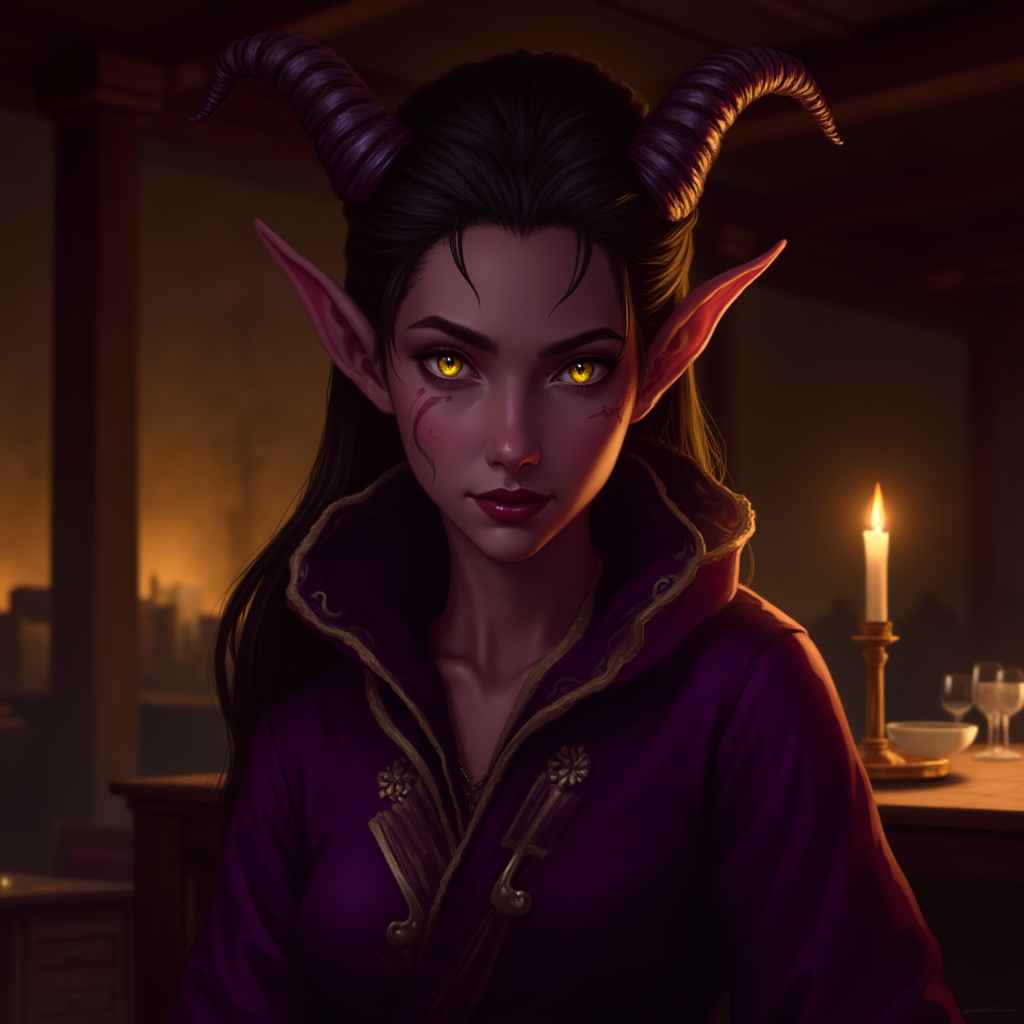
1.png)
AI defaults to "maximum demon mode." Your sophisticated tiefling diplomat looks like a Spirit Halloween decoration. The fix: decide where on the infernal spectrum your character sits before prompting.
The Infernal Spectrum
Subtle (1-3): Passing for Human
Key terms: "unusual eye color — amber or violet", "slightly elongated canines", "faint reddish tint to skin", "no visible horns"
You may need to explicitly exclude: "no horns", "human-passing with subtle infernal features."
Moderate (4-6): Unmistakably Tiefling
Key terms: "small curved horns", "deep burgundy skin", "solid-color eyes without visible iris", "thin prehensile tail"
Dramatic (7-10): Embracing the Fiend
Key terms: "large curling ram horns", "deep crimson or jet-black skin", "glowing eyes", "long barbed tail", "cloven hooves"
Horn Variety
AI defaults to small curved goat horns. Specify what you want:
- Ram: Large, curling backward. Dramatic.
- Gazelle: Long, straight, pointing up. Elegant.
- Swept-back: Low profile, aerodynamic. Subtle.
- Asymmetric: One broken or shorter. Implies a story.
Skin Color Beyond Red
Don't say "red skin." The range is huge:
- Warm: burgundy, mahogany, coppery bronze, deep terracotta
- Cool: slate purple, dusky lavender, midnight blue
- Dark: obsidian black, charcoal, deep umber
Say "deep burgundy skin with darker freckling across the cheekbones."
Prompt Structure
[Infernal level] + [tiefling] + [Horn style] + [Skin color] + [Clothing] + [Expression] + [Setting]
Example: "elegant female tiefling with swept-back gazelle horns, dusky lavender skin, solid gold eyes, high-collared diplomat's coat in midnight blue, composed unreadable expression, candlelit embassy office, warm amber light, detailed fantasy portrait"
Troubleshooting
| Problem | Fix |
|---|---|
| Too demonic | "human proportions", "subtle infernal features" |
| Bright red skin | "deep burgundy", "dusky mauve", "warm terracotta" |
| Generic horns | Describe shape: "swept-back", "gazelle-like", "asymmetric" |
| Cartoonish | "realistic fantasy art", "detailed painterly style" |