 1.png)
Creating a Half-Orc Character (Beyond the Brute)
You've written a half-orc scholar with a gentle soul and photographic memory—then the portrait screams "mindless barbarian." Let's add some nuance to those tusks.
The Prompt Formula
Most people type "half-orc" and get one-dimensional results. The secret: specify the human-orc balance. Half-orcs vary wildly—emphasize what makes yours unique.
[Who + race] + [Orc features] + [Human features] + [Clothing] + [Expression] + [Composition] + [Setting] + [Lighting] + [Style]
Bad: "a half-orc"
Good: "young female half-orc with small tusks and greenish-gray skin, human-like features with orcish jawline, wearing scholarly robes with ink stains, thoughtful intelligent expression, upper body portrait, library background with tall bookshelves, soft candlelight, highly detailed fantasy art"
AI defaults to "brute" stereotypes. Explicitly mention profession, personality, or human-like features.
Negative Prompts
Tell the AI what to avoid:
"blurry, low quality, deformed hands, extra fingers, bad anatomy, disfigured face, duplicate, watermark, text, modern clothing, overly bestial, pure orc, mindless brute"
Quick Settings
Model: MythWeaver Licensed for balanced half-orcs. Artist models (like CaptDiablo) for grittier, more orc-dominant half-orcs.
When Things Go Wrong
| Problem | Fix |
|---|---|
| Too orc-like | Add "human-like features", "subtle orc heritage" |
| Too human | Emphasize "tusks", "greenish skin", "prominent jaw" |
| Looks like brute | Mention profession: "scholar", "merchant", "bard" |
| Wrong skin tone | Be specific: "greenish-gray", "olive", "gray-green" |
Free Editing Tools
Once you're 80% there, finish with MythWeaver's free tools:
- Inpaint — Fix specific areas
- Upscale — Higher resolution
- Background swap — Change the setting
Half-Orc Feature Keywords
Copy-paste these to make half-orcs actually look half-orc:
- "small prominent tusks"
- "greenish-gray skin"
- "human-like features"
- "prominent jawline"
- "powerful build"
- "mixed heritage"
- "intelligent expression"
Full Example
Prompt: "Portrait of a young female half-orc with small prominent tusks and greenish-gray skin, human-like features with orcish jawline and strong cheekbones, wearing scholarly dark blue robes with ink stains and book clasps, thoughtful intelligent expression with warm brown eyes, upper body, library background with tall bookshelves and scrolls, soft candlelight creating gentle shadows, highly detailed fantasy art"
Negative: "blurry, low quality, deformed, bad anatomy, extra fingers, watermark, modern clothing, overly bestial, pure orc, mindless brute"
Model: MythWeaver Licensed
When You Need a Quick Edit
Even with a solid prompt, sometimes the AI misses key features. The initial generation looked too human—missing the tusks that make this character clearly half-orc.
Solution: Used MythWeaver's Inpaint tool with a simple prompt: "add tusks, this is a half orc"
Before: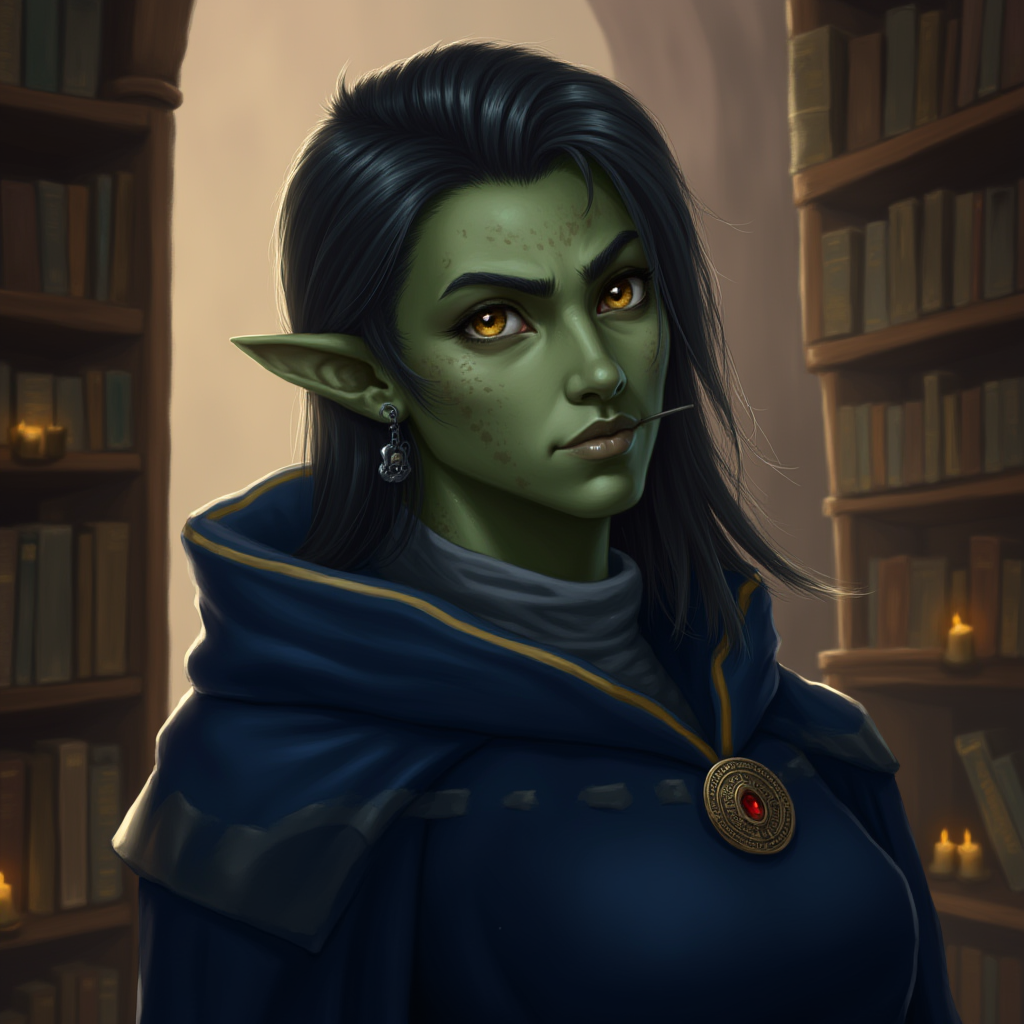
After: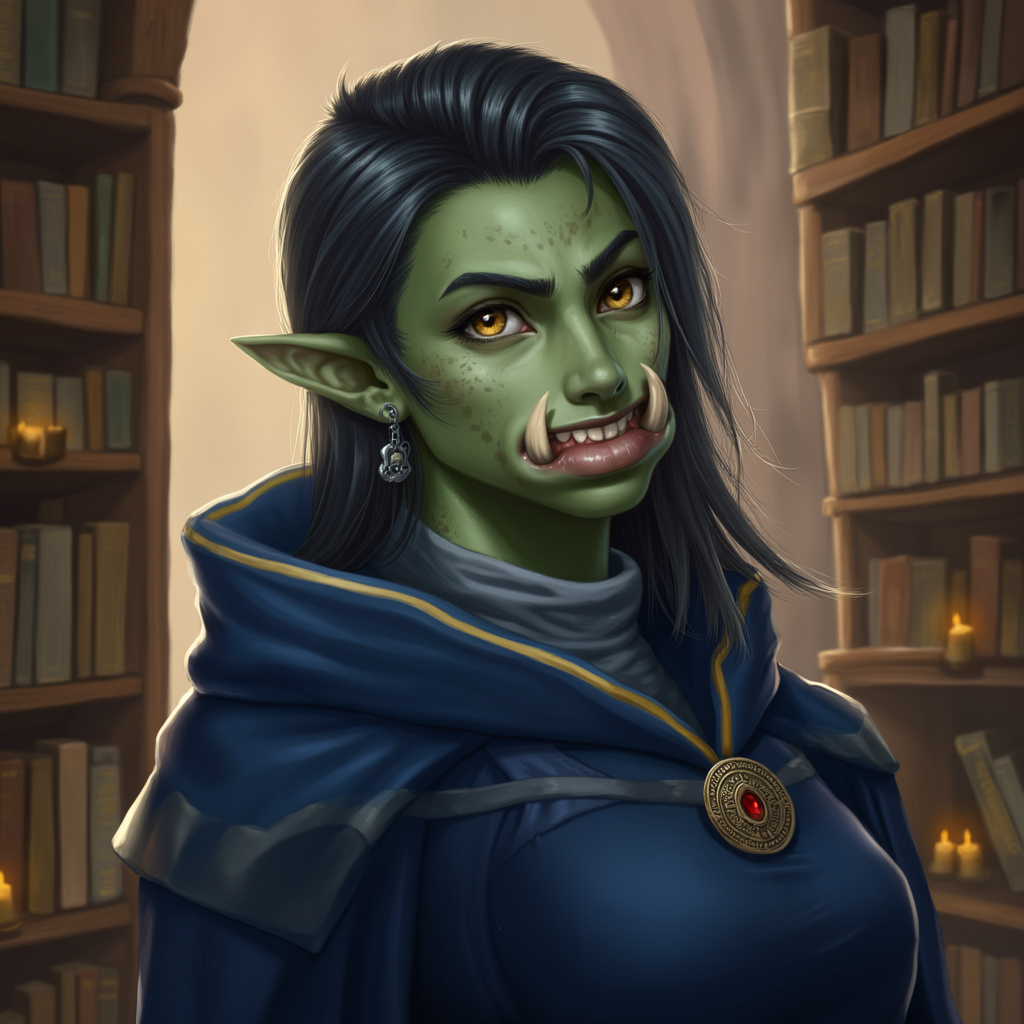
That's the power of free editing tools—fix what's missing without regenerating everything.
Generate a few options, pick your favorite, hit Set as Primary. Done.
Now go break some stereotypes.